Premiums are rules by which money is added to the rate for the circumstances of a shift: night hours, a holiday, hours over the daily norm, the shift itself, another location, days beyond the usual monthly norm, a second shift in a day, a percentage of sales. Each event is counted separately, and on a day where several coincide, each one is paid. A rule applies from the chosen date and does not rewrite months already counted.
Rules are set by the owner, a co-owner or anyone whose role has “Change pay” at “Entire network”. They apply to the whole organisation, a location, a position or one person. Multipliers and percentages are counted from the calculated hour: with hourly pay that is the rate, with per-shift pay it is the fixed amount divided by the shift hours.
Multipliers do not apply to people on the “Shift price” method: “Night hours”, “Holiday work” and “Over the daily norm”, a fixed price stays fixed. Amount bonuses and “Percentage of sales” do reach them.
Where to find it
“Payroll” → the “Premiums” tab. The tab is seen by the owner, co-owners and anyone whose role has “Change pay” at “Entire network”, as in the ready-made “Director” role. The page has a card for each kind of premium with an “Add” button and a list of current rules, and “Paid holidays” at the bottom.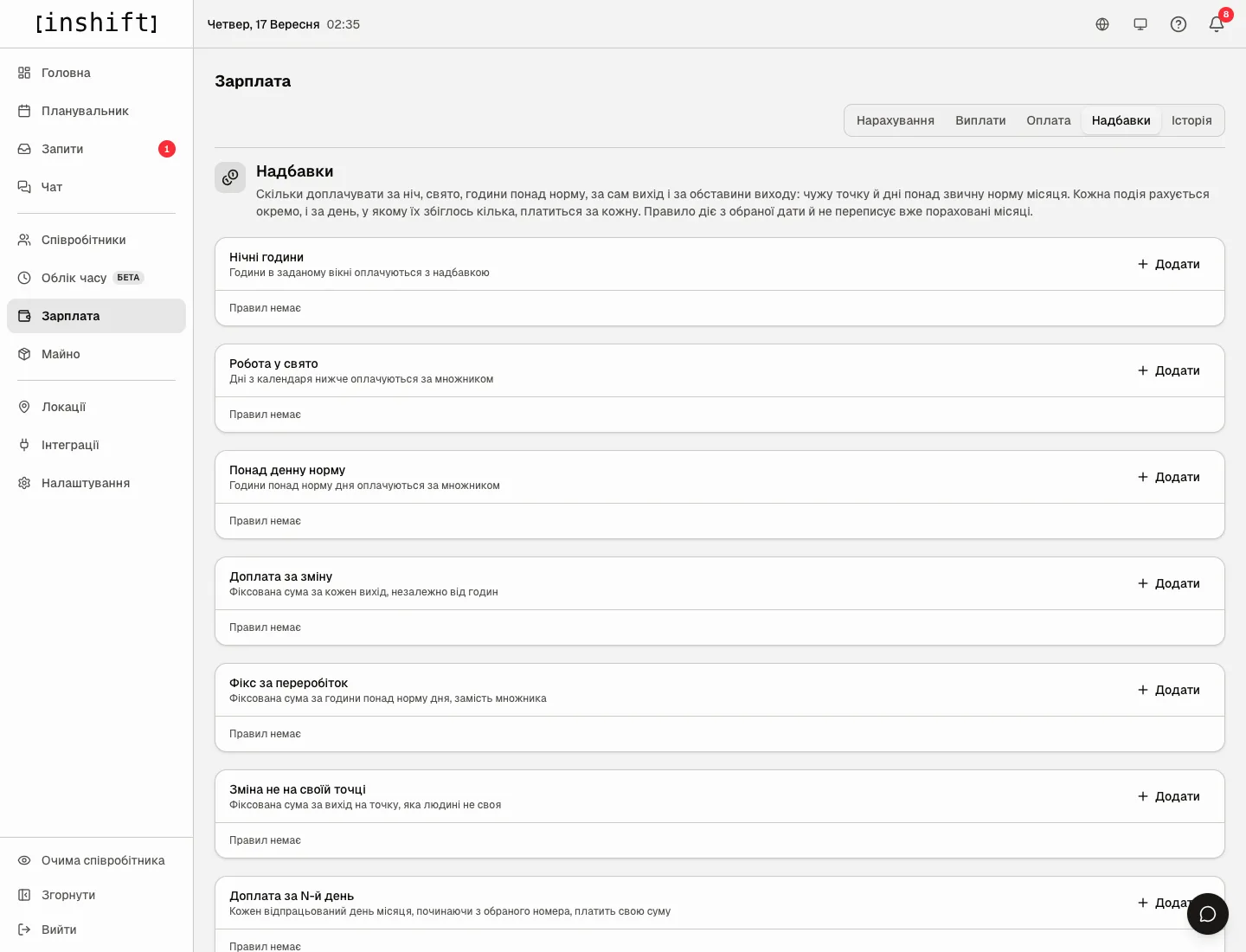
Step by step: add a rule
- In the card of the kind you need click “Add”. A window opens with the kind’s name and a hint, for example “Night hours”: “Hours inside the window are paid with a premium”.
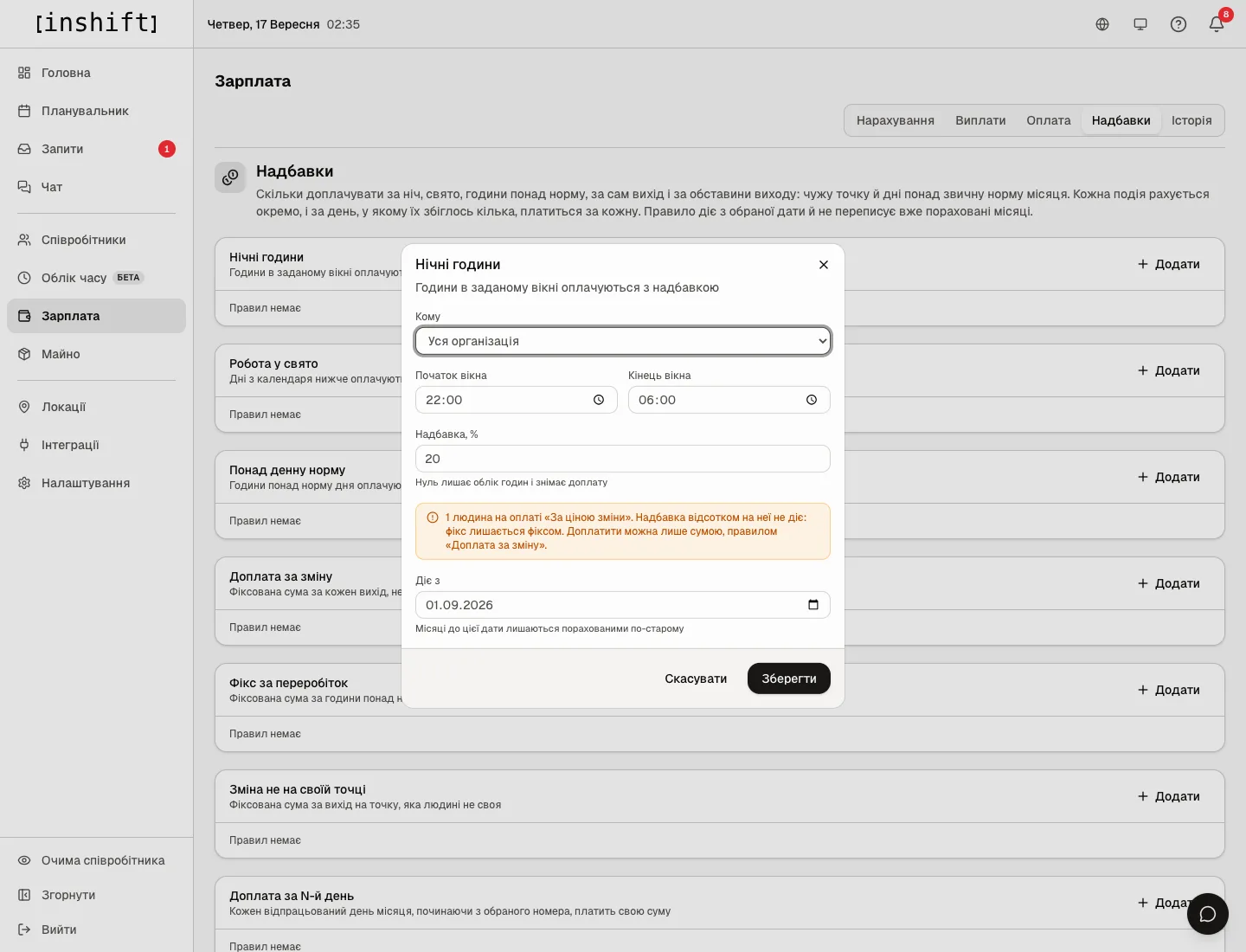
The “Night hours” window: “Applies to”, “Window starts”, “Window ends”, “Premium, %”, the warning about “Shift price” and “Effective from” - In the “Applies to” field choose who the rule applies to: “Whole company”, “Location”, “Position” or “Person”. For a location, position or person the field “Which location”, “Which position” or “Who exactly” appears below. The more specific rule wins over the more general one: if nights are +20% for the organisation and +30% for cooks, a cook gets 30.
- Fill in the kind’s fields, they differ, see below.
- Check “Effective from”: the panel suggests the first day of the current month, “Months before this date stay calculated the old way”.
- Click “Save”. The rule appears in the card with a caption saying whom it is addressed to and from which date.
Change a rule: the pencil in the rule’s row opens the same window, adjust the numbers and click “Save”. The old version stays in the history, and months before the date are counted by it.
Cancel a premium from a certain date: add a rule with zero. Zero keeps the hours tracked and removes the extra pay. The bin in the row deletes the rule from the history entirely, and past months are recalculated without it, so it is for mistakes, not for cancelling.
Kinds of premiums and their fields
“Night hours”: “Window starts” and “Window ends”, for example 22:00 and 06:00, and “Premium, %”. The shift hours that fall inside the window are paid with the premium. In the statement such hours are shown separately as “Night”.
“Holiday work”: “Multiplier”. 2 means double pay, 1 keeps the hours tracked without extra pay. The days are taken from the “Paid holidays” calendar at the bottom of the page.
“Over the daily norm”: “Daily norm, hours” and “Multiplier”. Hours over the norm are paid by the multiplier. The norm is per day, not per shift: two six-hour shifts with a norm of eight give four hours of overtime. In the statement this is “Overtime”.
“Per-shift bonus”: “Amount, £” for each shift worked, the same on a short and a long shift. This is the only way to pay extra to a person on the “Shift price” method.
“Flat overtime pay”: “Daily norm, hours”, “Amount, £” and “Paid for”: “The day itself” or “Each hour” over the norm. Instead of a multiplier.
“Shift at another location”: “Amount, £” for a shift at a location that is not the person’s own, and “What counts as their own location”: “Home location only” or “Any of their locations” from the card.
“Nth day of the month”: “From day” and “To day” and “Amount, £”. The number of the day worked in the month, not the calendar date: the rule “from day 21, £200” pays 200 for every shift starting from the twenty-first in the month. An empty “To day” means “onwards”, so you can build steps: 16 to 20 at 100, from 21 at 200.
“Percentage of sales”: a share of the takings the person rang up in a day. Needs a connected POS, see Sales percentage from the POS.
“Second shift in a day”: “Amount, £” once per day when the person worked two or more shifts, at one location or at different ones.
Paid holidays
At the bottom of the page is the “Paid holidays” card with the caption “Days the holiday multiplier applies to” and a year switch. Type the date into the “DD.MM.YYYY” field, the name into “Holiday name” and click “Add”. The bin in the row removes the holiday. The list is separate for each year: add next year’s holidays separately.
Without a “Holiday work” rule the holiday list affects nothing, and without holidays in the list the rule has nothing to pay for.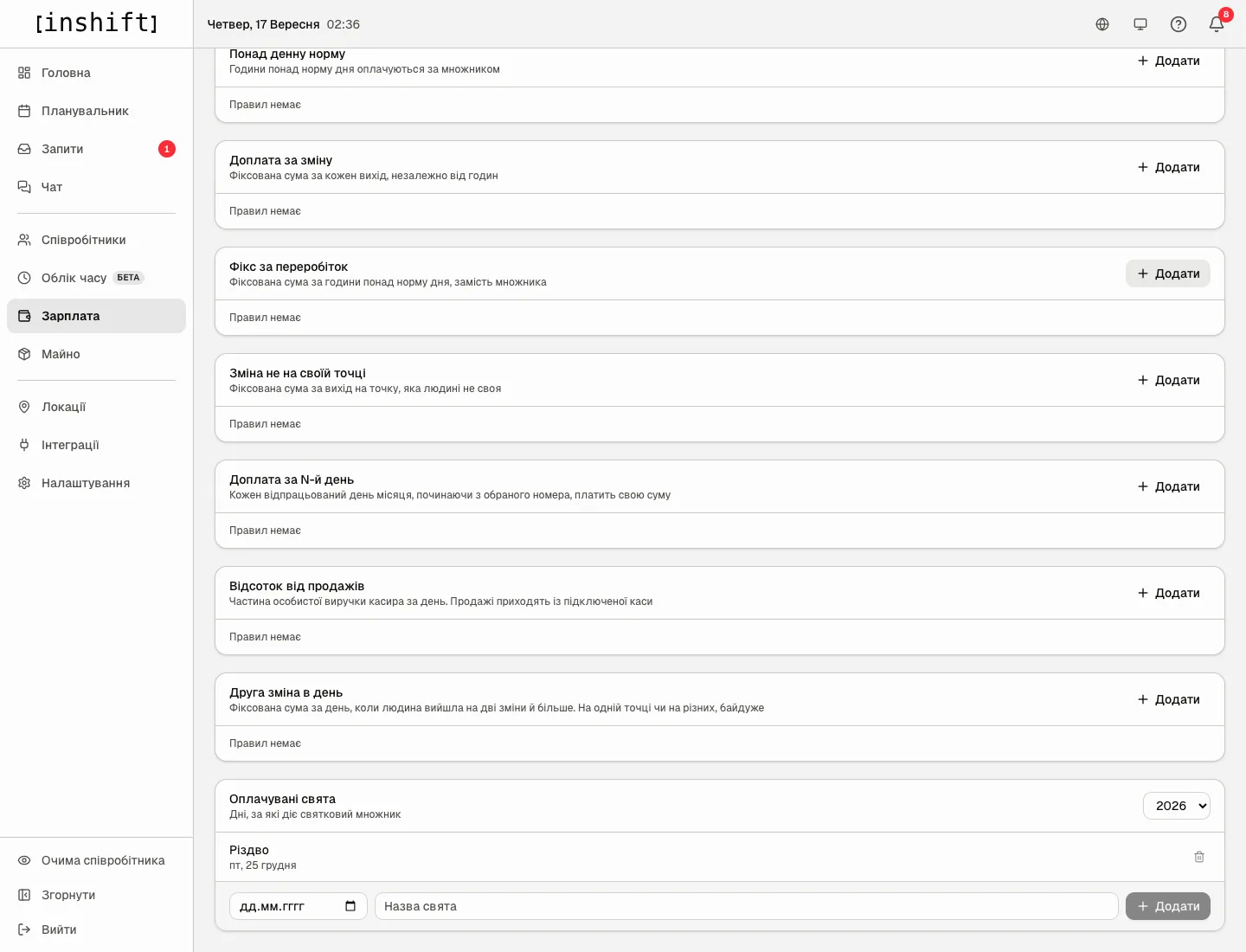
Why an action is unavailable
There is no “Premiums” tab: only the owner, co-owners and anyone whose role has “Change pay” at “Entire network” see it.
The window shows the warning “1 person is paid by shift price. A percentage does not touch that pay: a fixed price stays fixed. The only way to pay more is an amount, through the «Shift bonus» rule.”: among those you are addressing a rule with a multiplier or percentage to, there are people on a shift price. The rule will be saved, but will not apply to them.
There is a rule, but the statement shows no premium: check “Effective from”, shifts before that date are counted the old way, and “Applies to”: a rule for a location applies only to that location’s shifts.
The card says “Target deleted”: the location, position or person the rule was addressed to has been deleted. The rule no longer applies to anyone, add a new one.
Nights are not counted on a 22:00-06:00 shift: check the rule’s window. A 22:00-06:00 window covers the whole of such a shift, while a 00:00-06:00 window covers only its second half.
Questions and answers
How is a premium counted with per-shift pay?
From the calculated hour: the fixed amount is divided by the shift hours. A 10-hour shift for £1,000 gives £100 per hour, and a night hour with a 20% premium is worth £120.
Can nights be given to just one person?
Yes: under “Applies to” choose “Person” and specify who. A rule for a person wins over rules for their position, location and organisation.
What happens if a holiday and a night coincide?
Each event is paid separately: the holiday multiplier and the night premium are both added.
How do I pay extra for working on a day off?
There is no separate kind. Add the date to “Paid holidays” and a “Holiday work” rule with the multiplier you need, or a “Per-shift bonus” for a particular location or person.
Does the person see premiums in the app?
Yes, in the stats section under the “Accrued” amount each premium is a separate line with its own name.
There are two rules of the same kind, for example night hours for the organisation and for cooks. Which one applies?
One, the most specific: the person, then the position, then the location, then the organisation. The organisation gives +20 % for nights, cooks +30 %: a cook gets 30 %, not 50 %. Rules of different kinds add up.