Events are the team’s birthdays and the holidays you celebrate together: 8 March, the founding day, a professional holiday. The panel gathers them on the “Events” tab, shows the nearest ones on the dashboard and, if you wish, reminds you with a notification: managers or the whole team, on the day or in advance. Dates of birth are taken from people’s cards, so fill those in first.
The team in the app sees whose birthday it is today, without the age, if you have allowed that. A person always sees their own birthday.
The “Events” tab is visible to anyone whose role has the “View team” permission. Holidays and reminders are changed only by the owner and co-owners.
Where to find it
“Employees” → the “Events” tab. At the top are the tiles “Birthdays this month”, “Today”, “Women in team”, “Men in team”, below “Upcoming events” with dates and “Turns 32”. The “Settings” button leads to holidays and reminders.
On the dashboard: the line “Birthday today: Maria Shevchenko” or “Upcoming birthday: Ihor Melnyk in 3d”, see Home: the day at a glance.
In the team’s app: on “Home”, the day’s birthdays, if showing them is turned on.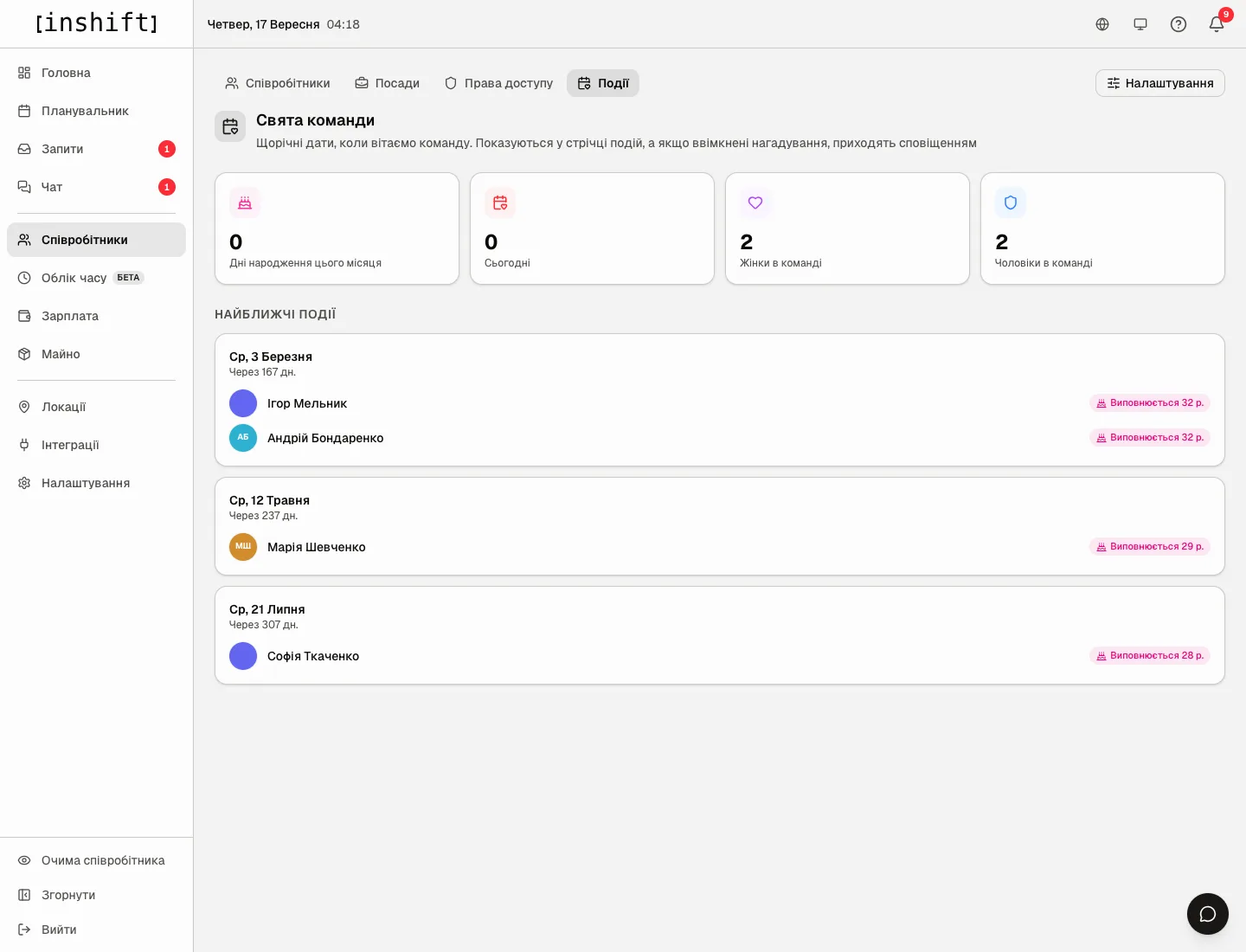
Step by step: fill in the birthdays
- Open the person’s card → “Edit” → the “Personal” block: “Date of birth” and “Gender”. Gender is needed for holidays with “Who” set to “Women” or “Men”, for example 8 March.
- The person can fill this in themselves in the app, in the profile under “Contacts & personal”, see Profile, language, security.
- As soon as the date is there, the person appears in “Upcoming events” with the caption “In 167 days” and “Turns 32”. If nobody has a date, the tab says “No events” with the hint “Add birth dates and gender to employees to see events”.
Step by step: add a holiday
- On the “Events” tab click “Settings”, then “Add holiday”.
- Type the “Holiday name…”, choose the “Day” and “Month”, and under “Who” choose “All”, “Women” or “Men”. The holiday is yearly: “Recurring dates when the team is congratulated. They show up in the events feed, and arrive as a notification when reminders are on”.
- Under the list is “Suggested for your region”, if there are suggestions for your time zone, for example “8 Березня (08.03)” for organisations in Ukraine: click, and the holiday is added in one step.
- Delete: the cross next to the holiday, with the confirmation “Delete holiday “8 March”?”.
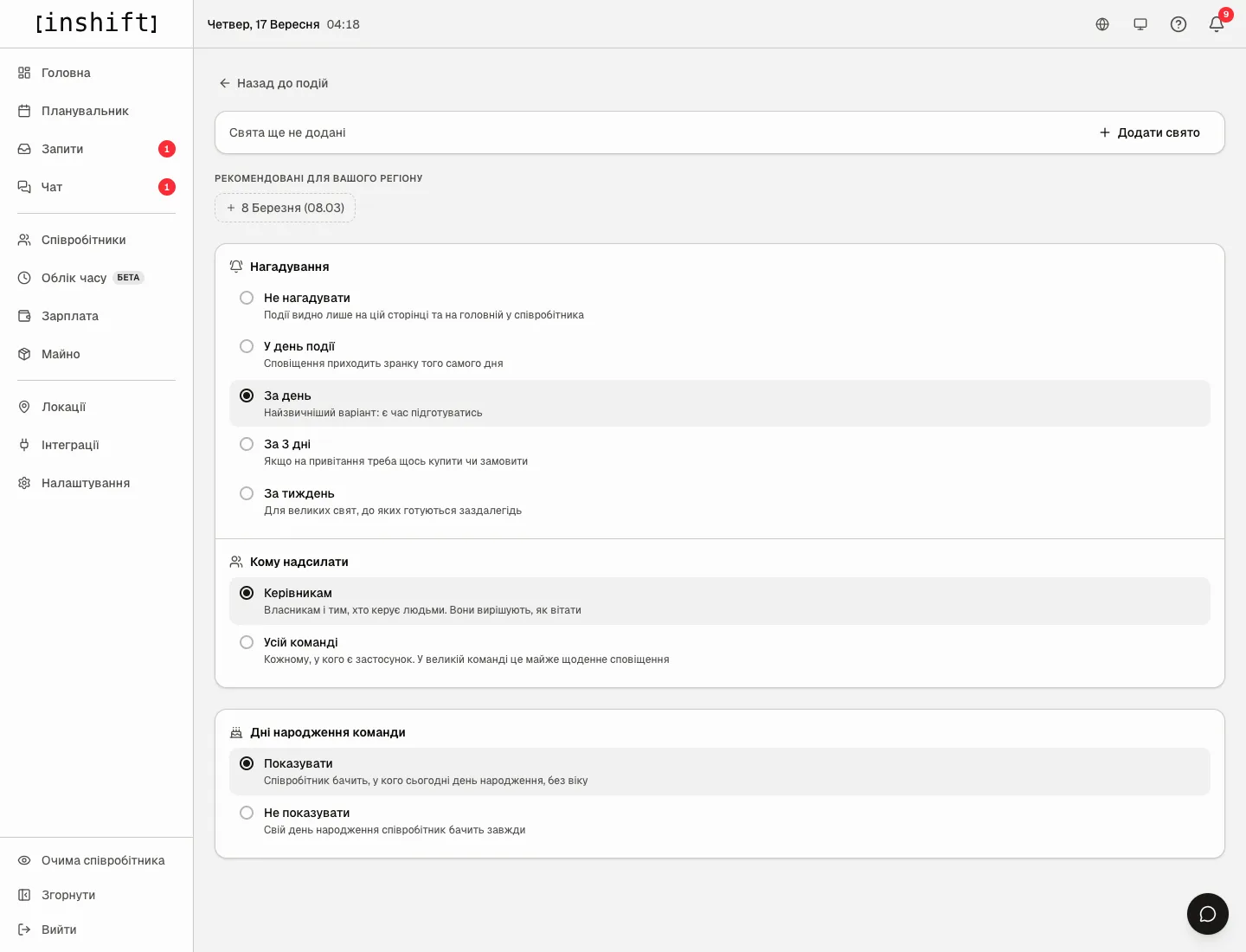
The events settings page: “Add holiday”, “Suggested for your region”, “Reminders”, “Who gets it”, “Team birthdays”
Reminders
The “Reminders” block: “Do not remind” (“Events stay on this page and on the employee home screen”), “On the day” (“The notification arrives that morning”), “One day before” (“The usual choice: there is time to prepare”), “Three days before” (“When a gift has to be bought or ordered”), “A week before” (“For bigger holidays people prepare for in advance”).
The “Who gets it” block: “Managers” (“Owners and everyone who manages people. They decide how to celebrate”) or “Whole team” (“Everyone with the app. In a large team that is a notification almost every day”). A location manager receives reminders only about people of their locations, the owner and co-owners about everyone.
Reminders arrive in the morning in the organisation’s time zone, see Region, time zone, currency and language.
Birthdays in the team’s app
The “Team birthdays” block: “Show” (“Employees see whose birthday is today, without the age”) or “Hide” (“Employees always see their own birthday”). This is about the day’s birthdays on “Home” in the app; a colleague’s date of birth, if they filled it in, is also visible in their card under “Team”.
Why an action is unavailable
There is no “Events” tab: your role does not have the “View team” permission.
There is no “Settings” button on the “Events” tab: holidays and reminders are changed only by the owner and co-owners.
The tab says “No events”: dates of birth are not filled in on the cards and no holidays have been added.
Reminders do not arrive: “Do not remind” is set, or you are not in the “Who gets it” circle, or notifications are turned off on the phone, see Notifications are not arriving.
A person is not in “Upcoming events” although the date is there: they are dismissed.
A holiday is not shown to part of the team: “Who” is set to “Women” or “Men”, and gender is not specified in people’s cards.
Questions and answers
Do colleagues see the age of the birthday person?
The greeting on “Home” does not show the age. The age is visible in the panel under “Upcoming events”, and the date of birth the person filled in can be seen by colleagues in their card under “Team”.
Can the greeting be sent automatically in chat?
No, the panel only reminds. Write the greeting in chat or as an announcement, see Announcements to the team.
Can different locations have different holidays?
No, holidays are shared across the organisation. The only restriction is “Who”: all, women or men.
How many holidays can be added?
As many as you like, each one yearly.