You can see your shifts not only in InShift but also in your phone's regular calendar: Google Calendar, Apple Calendar or Outlook. You subscribe once with a link, and from then on the shifts appear there by themselves: a new shift, a changed time, a removed shift.
That is handy if you plan personal things in your calendar and want to see work next to them.
Where to find it
“More” → “Settings” → the “Calendar” block → the “My schedule in the phone calendar” card.
Step by step
- Open “More” → “Settings” and scroll to the “Calendar” block.
- Tap “Create a link”. Your personal calendar address appears, with the “Add to calendar” and “Copy” buttons.
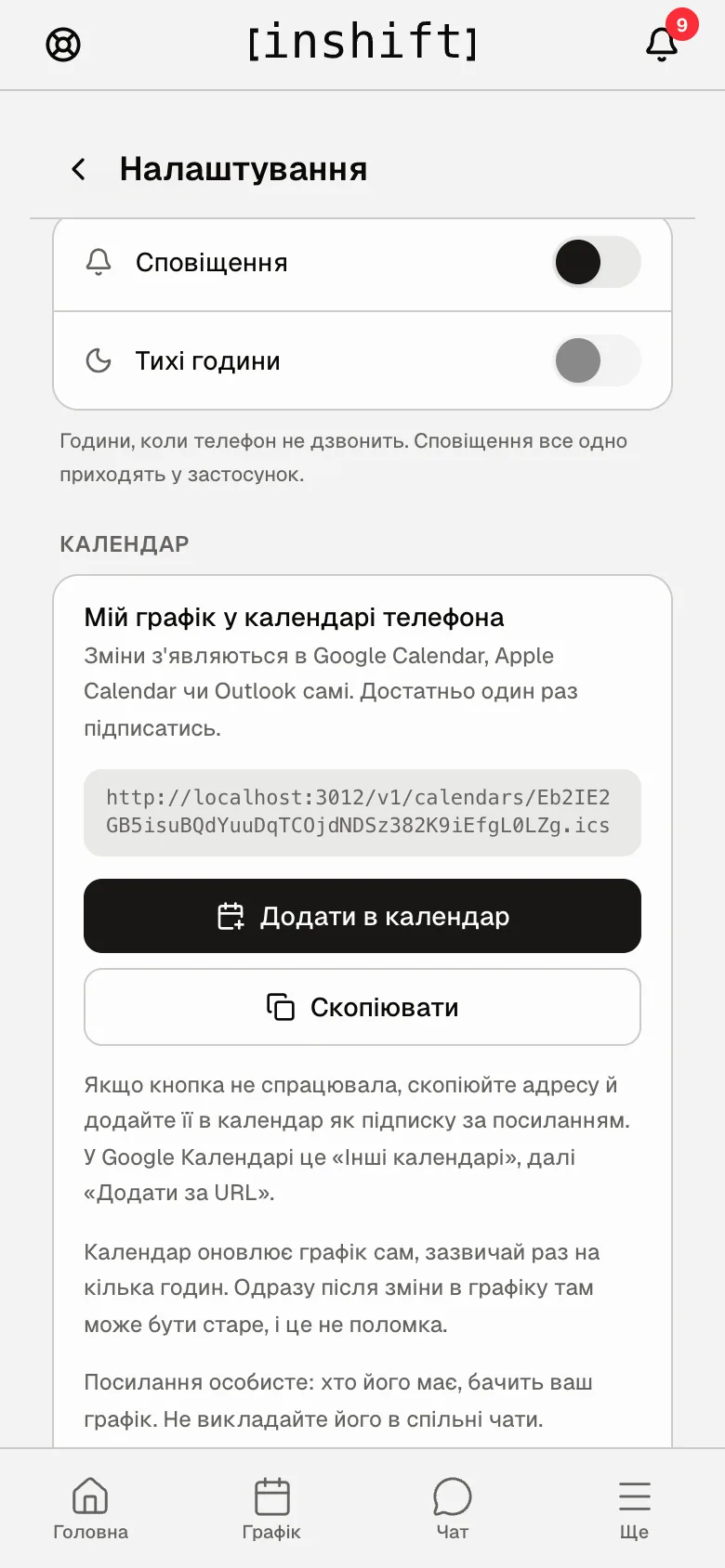
The “My schedule in the phone calendar” card with a created link and the “Add to calendar” and “Copy” buttons - On iPhone tap “Add to calendar”: Apple Calendar opens and offers to subscribe to the calendar; confirm. On Android this button is absent, because Android phones do not open such links by themselves.
- On Android, or if the button did nothing: tap “Copy” and add the address to your calendar as a subscription by link. In Google Calendar on a computer: “Other calendars” on the left, then “From URL”, and paste the address.
- Done. The shifts appear in the calendar within a few hours and keep updating by themselves.
How it works
The link is personal: anyone who has it sees your schedule. Do not post it in shared chats. If the link got somewhere it should not have, tap “Remove the link”: the old one stops working, and a new one can be created again.
The calendar updates the schedule by itself, usually once every few hours. Right after a change in the schedule it may still show the old version, and that is not a fault. In InShift the schedule is always fresh.
Why an action is unavailable
There is no “Add to calendar” button, only “Copy”: this is Android. Copy the address and add the subscription by hand, as in step 4.
There is no “Calendar” block in the settings: you are an owner who has not added themselves to the team, so you have no schedule.
The schedule appeared in the calendar, but the shifts in it are old: wait, the calendar updates by itself. Google Calendar refreshes subscriptions once every few hours, and InShift cannot speed that up.
The calendar asks for a login and password: a subscription by link needs no sign-in. Check that the address is copied in full, up to “.ics”.
Questions and answers
Will my manager see that I subscribed?
No, it is your calendar only.
Can I subscribe someone else's calendar, my partner's for example?
Yes, give them the same link. Remember that it opens your schedule to anyone who has it.
What happens if I leave the job?
Old shifts stay in the calendar, and no new ones come. If you do not want the link to live on, tap “Remove the link” before you leave.