The “Chat” tab in the app is your correspondence with the team: the organisation's general chat, your site's chat, announcements from the manager, groups and private conversations with colleagues. New messages arrive as push notifications and show as a counter on the “Chat” tab.
Only those who have connected the app are in the chat. A colleague marked “Not in the app yet” does not receive messages.
Where to find it
The “Chat” tab at the bottom of the screen. At the top are “Chats” and the “New conversation” icon. The list holds “General chat”, “Announcements”, your site's chat with the caption “Team channel”, groups and conversations. Next to each is the time of the last message and the unread counter.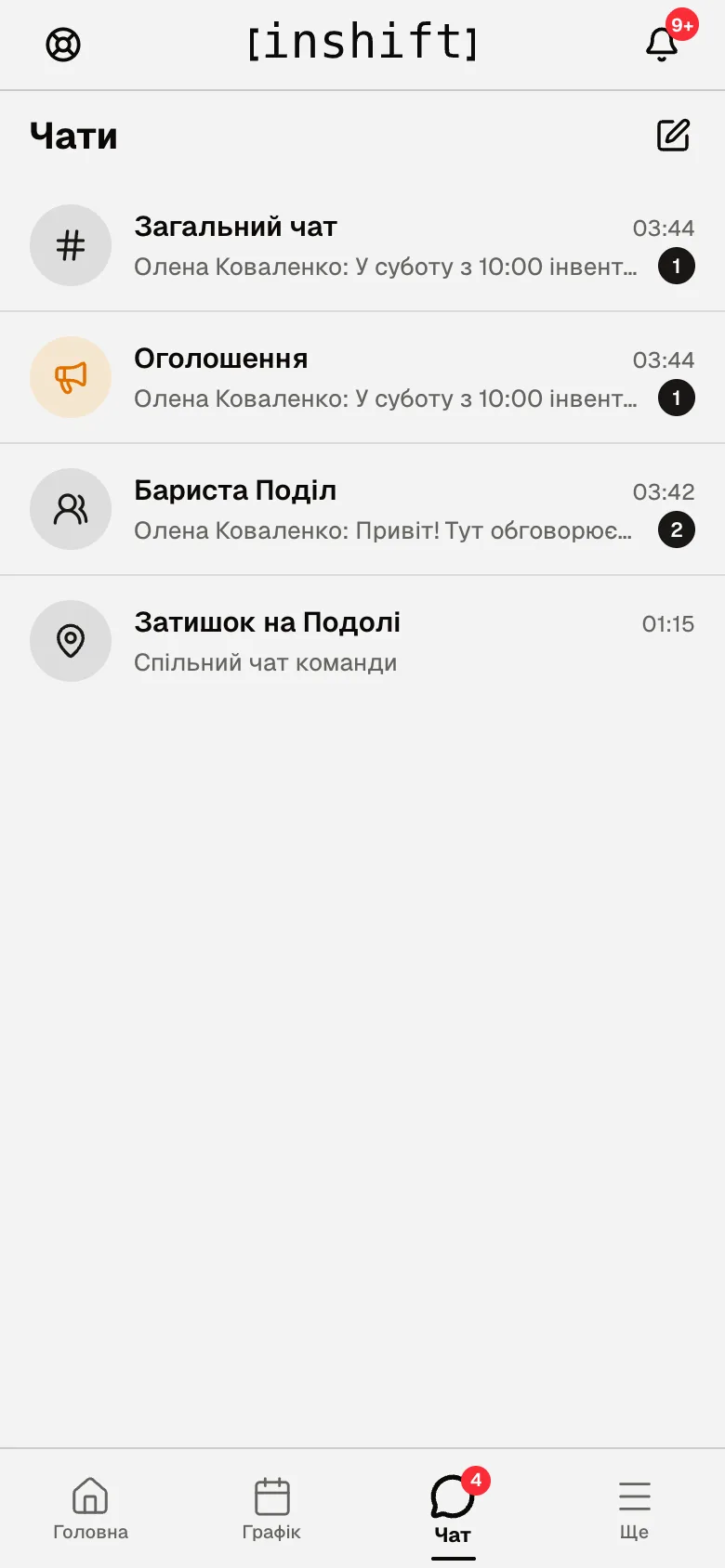
Step by step: write to a colleague
- Tap “New conversation” at the top of the list. A list of colleagues opens with a “Search colleagues” field. Anyone who has not connected the app yet is marked “Not in the app yet”: you cannot write to them.
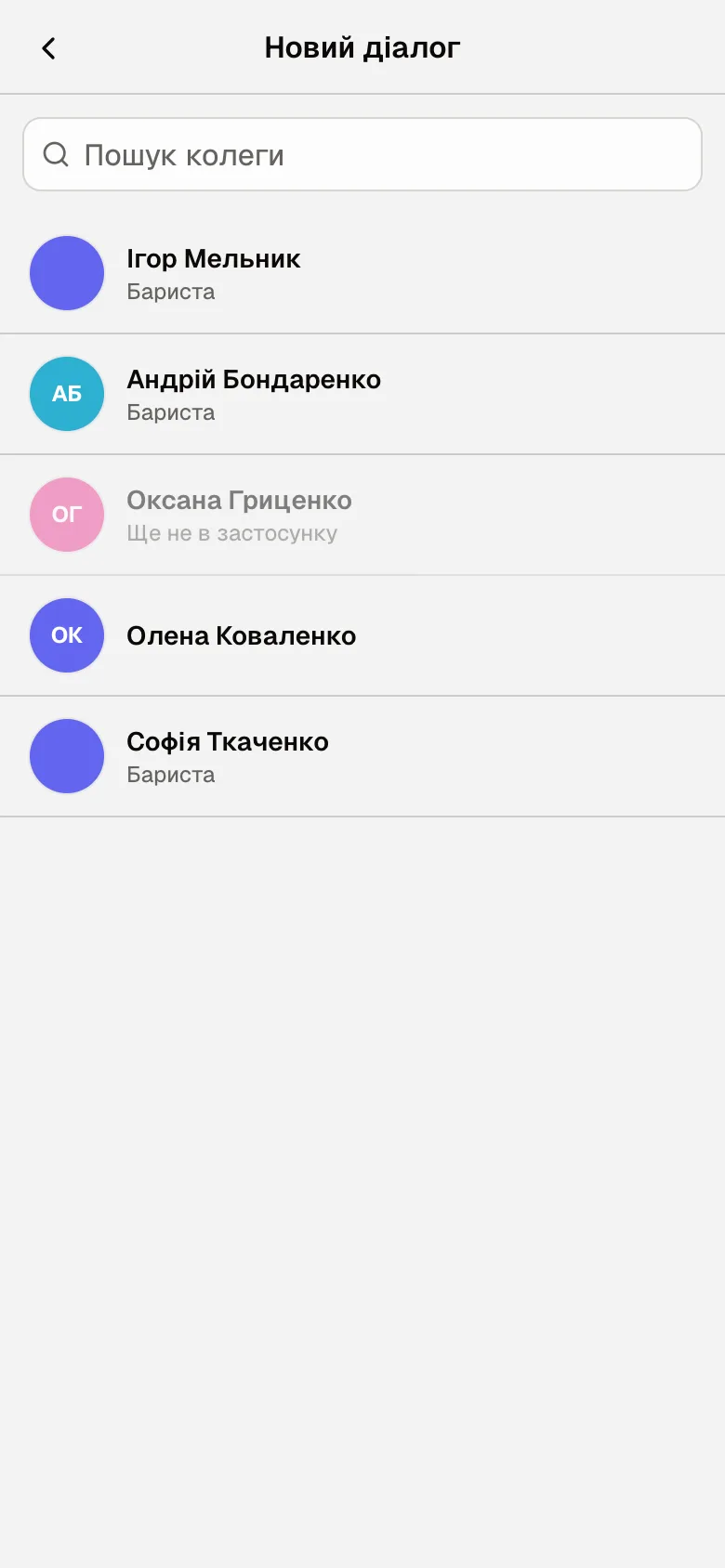
The “New conversation” screen: a colleague search and the list of colleagues with positions - Tap the colleague. The conversation opens, showing “online” or “last seen 5 min ago”.
- Type your text in “Write a message…” and tap the send button on the right. On a phone Enter makes a new line, on a computer it sends. Under your own message you see “Sent”, then “Read”.
Channels, groups, announcements
“General chat”: the whole organisation. If the manager has enabled the rule, at the bottom it says “Only managers can post in the general chat”: you can read but not write.
The site's chat: everyone who works at your site. If you work at several, there are several such chats.
“Announcements”: broadcasts from the manager marked “Announcement”. They are also duplicated in the general chat or the site's chat, where you can reply to them.
Groups: conversations with several colleagues. A group is created by the manager, or by you if the organisation allows it: in the list of colleagues, “New group”, “Group name”, members, “Create group”. In a group the top shows “3 members”, and the menu has “Details”, “Group settings” with “Add member”, “Rename”, “Leave group”. The group's author can “Delete group” and remove members.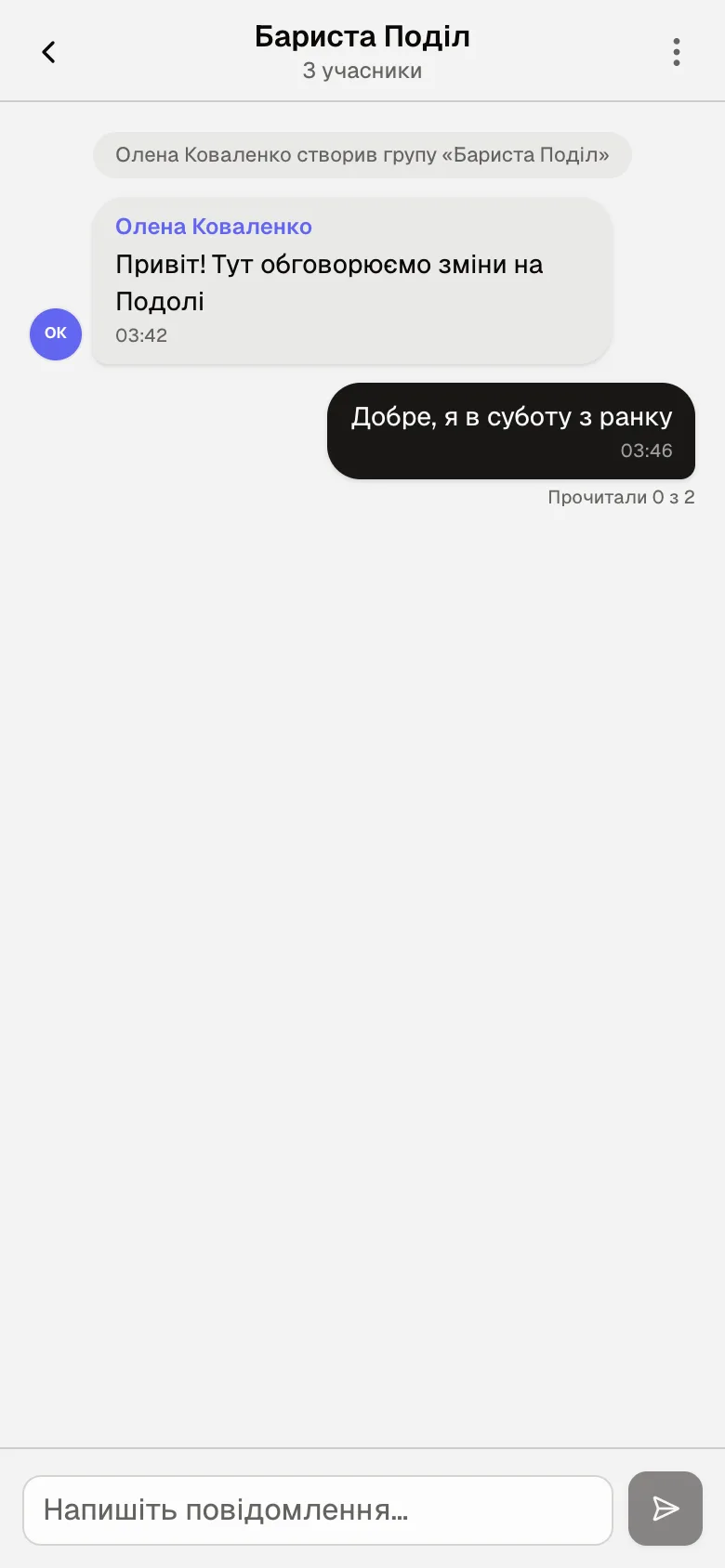
Actions on a message
Press and hold a message. For any message “Copy”, and “Reply” if you can write in this conversation. For someone else’s “Report”, for your own “Edit” and “Delete”. “Pin”: in a private conversation “Pin for everyone” or “Pin for yourself”, in a channel or group only a moderator pins, for everyone. The “Like” heart sits next to someone else’s message only in a private conversation. A deleted one leaves “Message deleted”, an edited one the mark “edited 12:40”.
“Report” sends the message to InShift support: “Report this message to InShift support? We will look into it and reply to you in the support chat.”. A manager with panel access can delete someone else's message as a moderator; then “Deleted by moderator” takes its place.
A pinned message is shown above the conversation: “Pinned message” for everyone or “Pinned (only you)”.
Your own messages in a group or channel show “Read by 1 of 2”; tap it to see “Who has read”.
The chat list
Press and hold a conversation in the list: “Pin” lifts it to the top, “You can pin up to 5 chats”. “Mute” turns off push notifications from the conversation, “Unmute” brings them back. A conversation can be deleted: “Delete this chat? It will disappear only for you”.
If a colleague has left, the conversation says “This person no longer works on the team”, and you cannot write to them.
Why an action is unavailable
Cannot write in “General chat”: the manager has allowed only managers to post there. Write in the site's chat or in a conversation.
No “New group”: creating groups in the organisation is allowed to managers only. Ask your manager to create the group.
A colleague is missing from “New conversation”: they have not connected the app yet or have been dismissed.
No push notifications from the chat: the conversation is on “Mute”, it is quiet hours, or notifications are turned off on the phone, article Notifications are not arriving.
“Conversation unavailable”: the group was deleted or you were removed from it.
Questions and answers
Does my manager see my private conversations?
No. The manager sees the channels and groups they are a member of. Private conversations are closed.
Can I send a photo?
No, the chat is text only.
What does “Read by 1 of 2” mean?
How many members of the conversation have opened your message. Tap it to see the names.
How do I reply to an announcement?
In the general chat or the site's chat where it is duplicated, press and hold it and tap “Reply”. There are no replies in the “Announcements” feed itself.